
Export or delete your DomuHQ data
Request a JSON or PDF export of everything DomuHQ holds about you from Data & Security, and delete your account from the Danger Zone in Preferences.
Exporting your data
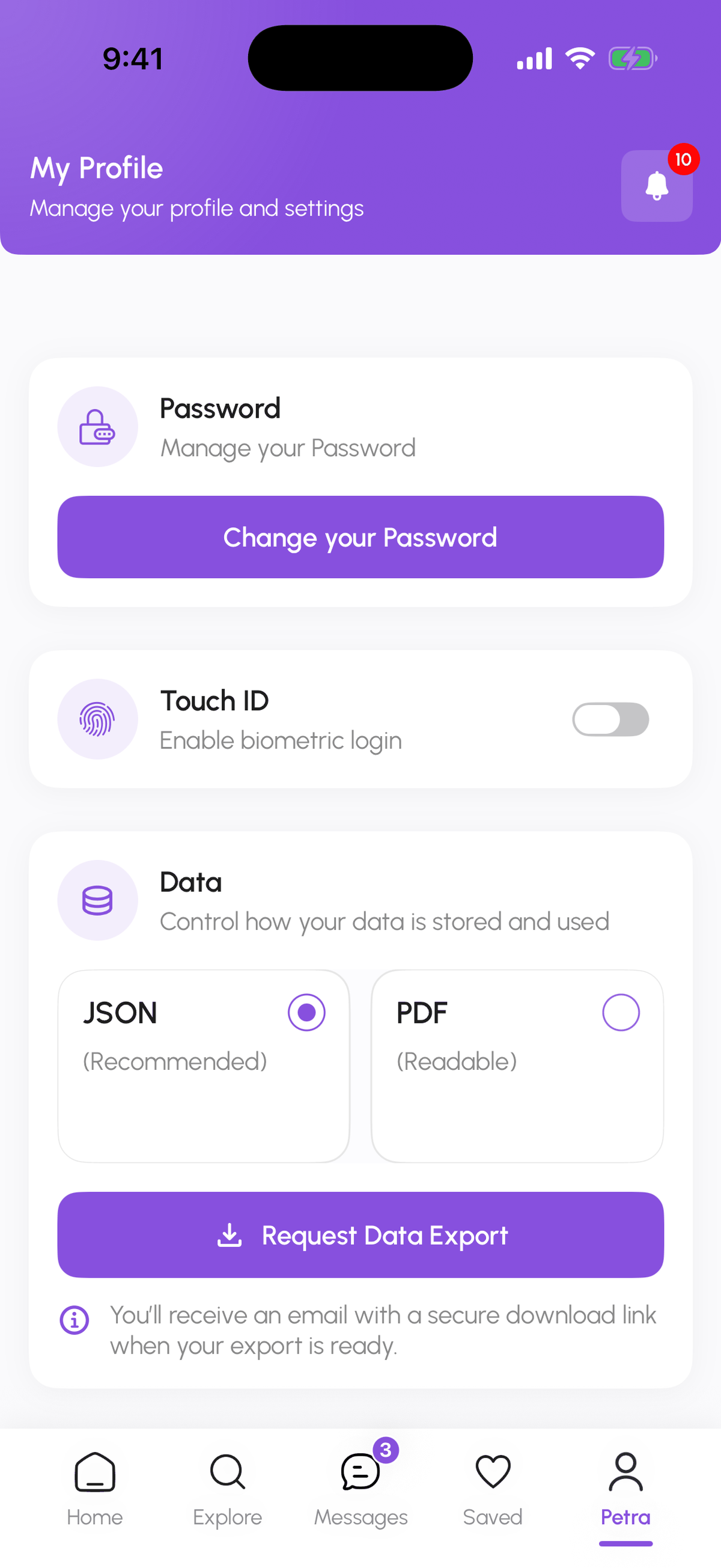
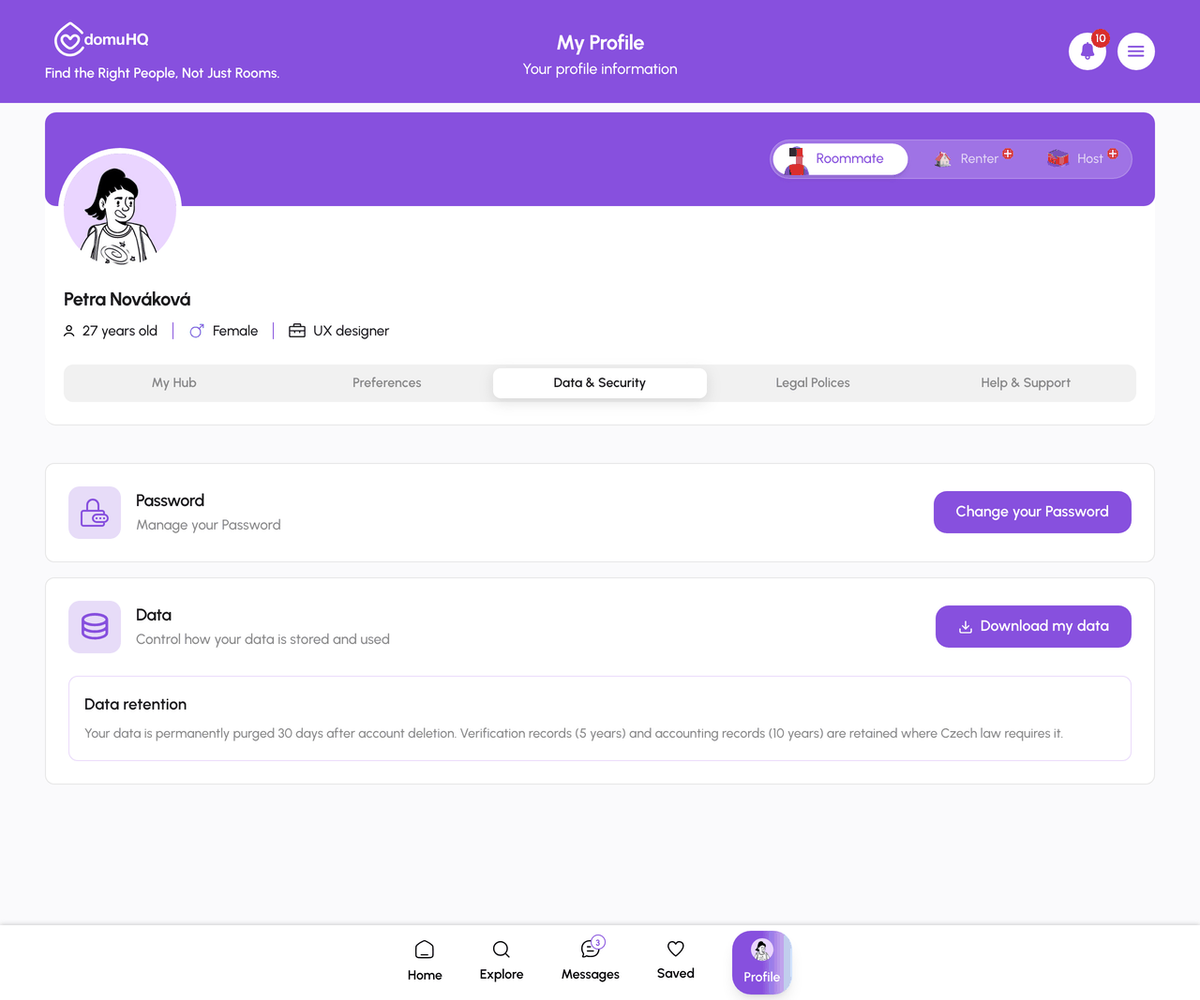
Open Profile, Data & Security. Under Data pick JSON (recommended for reuse) or PDF (readable) and tap Request Data Export. On the web the files are generated in your browser and download straight away. On iPhone you receive an email with a secure download link when the export is ready. You can request a new export every 5 minutes.
The export contains your profile and answers, messages, applications and their status, saved properties and roommates, consents, and account metadata. Photos you uploaded are included as links.
Deleting your account
Profile, Preferences, scroll to the Danger Zone and tap Delete Account. Choose a reason (Found another platform, Privacy concerns, Not using anymore, Other), type DELETE to confirm, and tap Yes, Delete. This is final: there is no undo window.
What happens: within 24 hours your name, photo, and identifying details are replaced by an anonymised label. Conversations stay readable for the other party but no longer show who you were. After 30 days the underlying personal data is purged. Invoices (10 years) and identity-verification records (5 years) are kept in a locked archive as required by law and are never used for anything else.
Deleting only a listing, a squad, or a conversation
You do not need to delete the account for that: hosts delete listings from Manage, squad admins delete a squad in Squad Settings, and any conversation can be deleted from its menu.
Step-by-step
- 1
Request the export
10 secondsProfile, Data & Security. Choose JSON or PDF and tap Request Data Export.
- 2
Download the file
1 minuteWeb: the download starts immediately. iPhone: open the email and tap the secure link.
- 3
Delete the account (if you want to)
30 secondsProfile, Preferences, Danger Zone, Delete Account. Pick a reason, type DELETE, confirm.

Frequently asked questions
I deleted my account by mistake. Can I undo it?
No. Deletion starts immediately. You can sign up again with the same email, but the old profile, matches, and messages are gone.
Will my old verification carry over to a new account?
No. Verification records are purged with the account; a new account verifies again.
Where is my data stored?
In the EU (AWS Ireland and Frankfurt). See Your GDPR rights for the processors involved.
Related articles
Your GDPR rights on DomuHQ
DomuHQ runs from the Czech Republic and complies with EU GDPR. Your rights: access, rectification, erasure, restriction, objection, portability, withdraw consent, complain to the regulator. Here is how to use each one.
IntermediateYour Profile tabs: My Hub, Preferences, Data & Security, Legal, Help & Support
A map of the Profile page: where your plan and verification live, how to change language, theme, and notifications, where to change your password or export your data, and where to get help.
Beginner