
Manage your notification preferences
Which notifications DomuHQ sends, how to switch each type on or off in Preferences, and how push permission works on the web and on iPhone.
Where notifications show up
The bell in the top corner opens the Notification list (All and Unread, with Clear Notifications and Mark all as read). Push notifications reach your lock screen or browser when you allow them. Some events also go by email.
The Notifications page
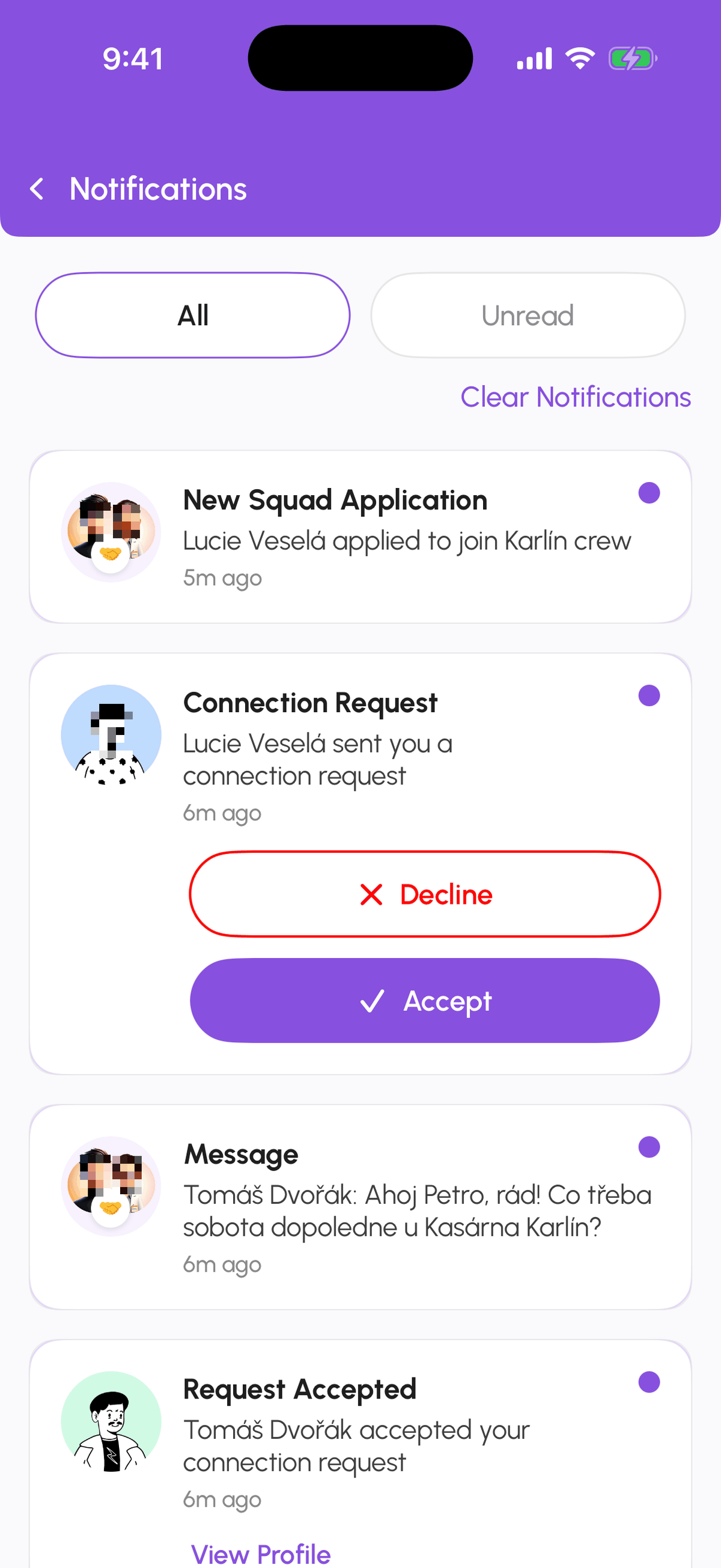
Tap the bell in the header. All and Unread filter the list. Tapping an item opens what it is about and marks it read. Connection requests and squad invites can be accepted or declined right on the card. Clear Notifications empties the list; it does not affect the requests themselves, which stay under Messages, Requests.
The toggles
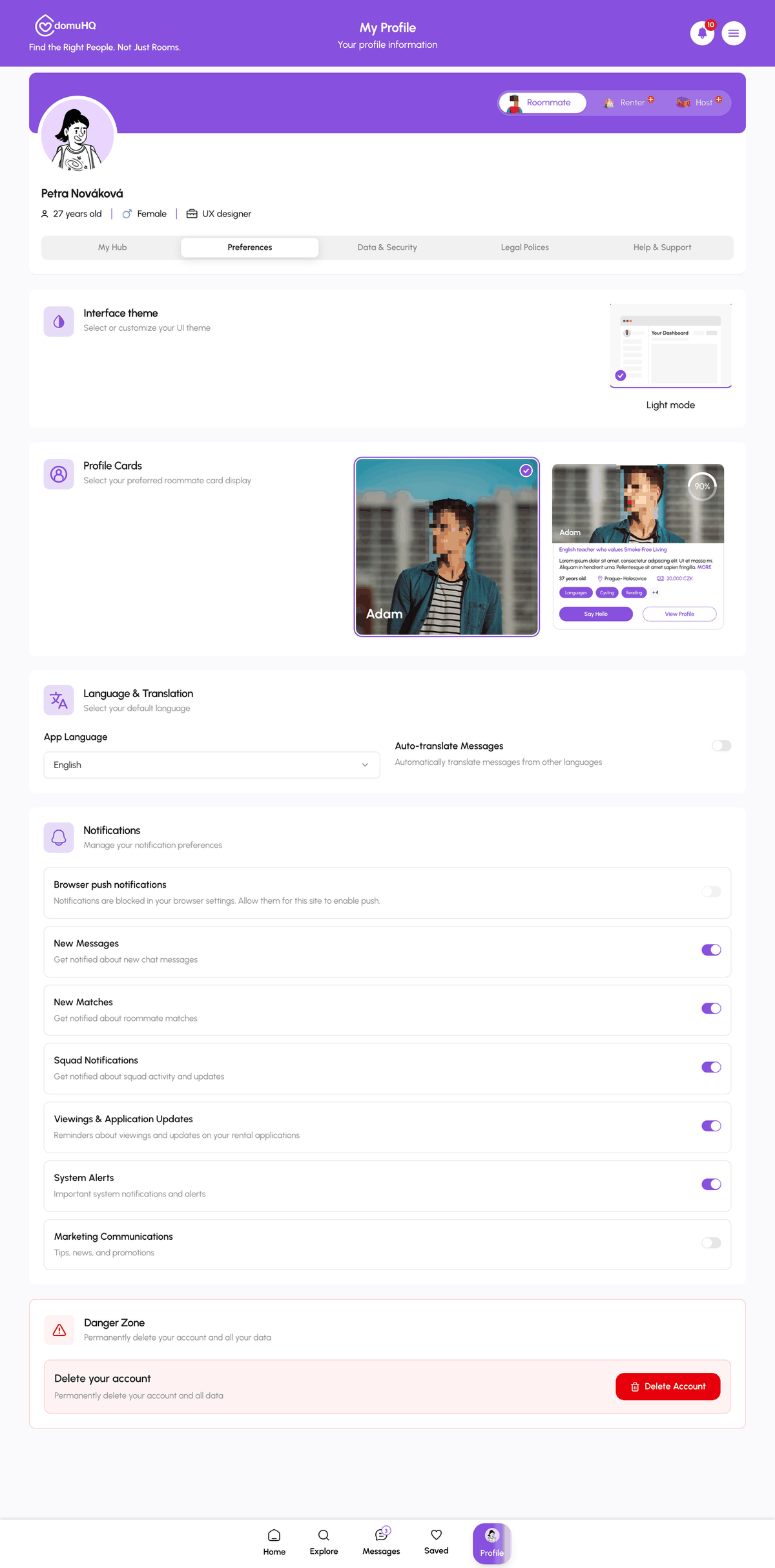
- New Messages: someone wrote to you.
- New Matches: a new high-compatibility roommate appears for you.
- Squad Notifications: invitations, join requests, suggestions, votes, and squad chat.
- Viewings & Application Updates: viewing confirmations and reschedules, application status changes, contract and payment steps. Hosts see this split into Viewing Requests, Application Requests, and Listing Stats.
- System Alerts: account and subscription changes, listing review results.
- Marketing: product news and tips. Off unless you turn it on; every marketing email also has an unsubscribe link.
Push permission
On the web, Browser push notifications at the top of the Notifications section asks the browser for permission; if it says notifications are blocked, allow the site in your browser settings. On iPhone the app asks once after sign-in; change it later in iPhone Settings, Notifications, DomuHQ.
What you cannot switch off
Security notices (New Device Login, password changed) and verification results are always delivered. They protect your account.
Step-by-step
- 1
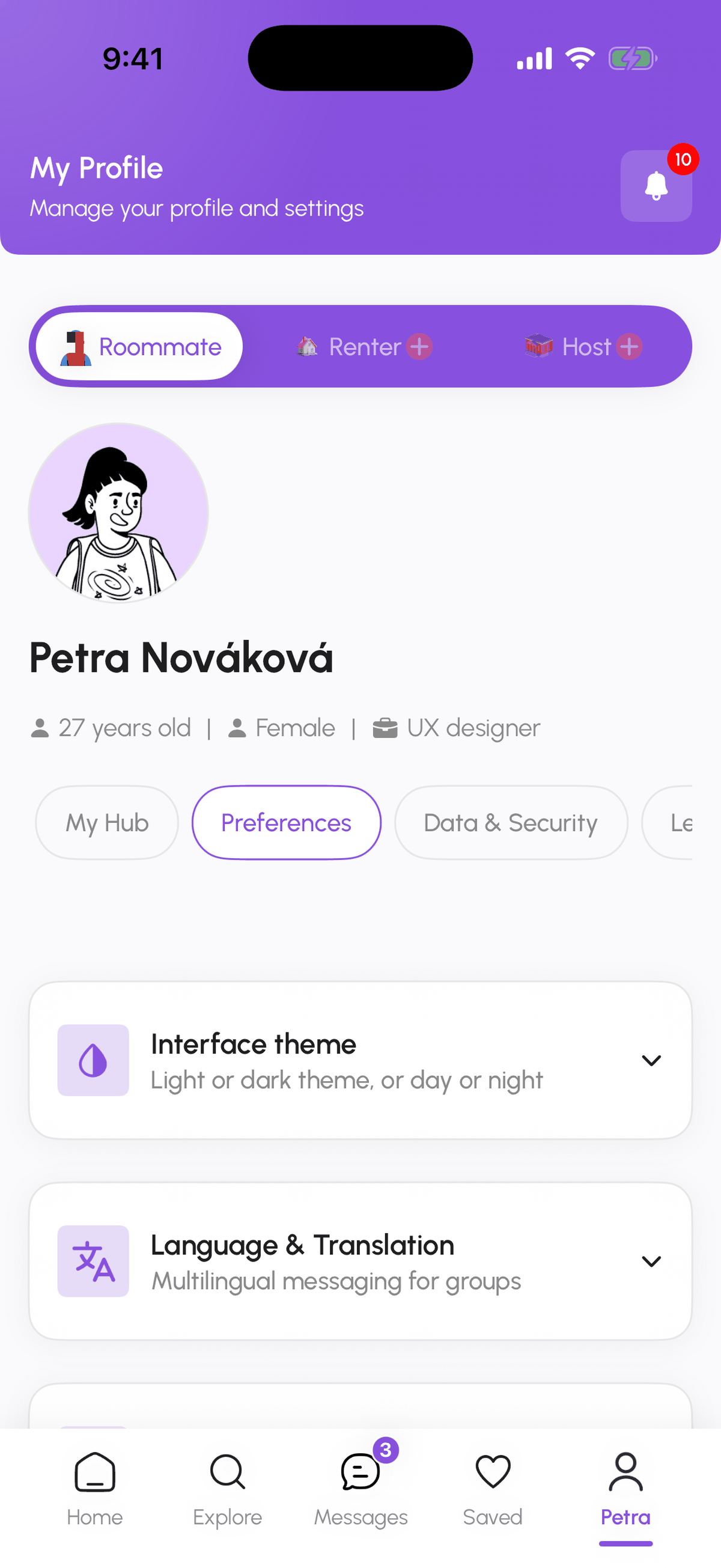
Open Preferences
5 secondsProfile, Preferences, then expand Notifications.
- 2
Switch types on or off
20 secondsToggle each notification type. Changes save immediately.
- 3
Allow push
10 secondsWeb: turn on Browser push notifications and accept the browser prompt. iPhone: allow notifications when asked, or in Settings.
- 4
Review the list
10 secondsTap the bell to see All or Unread notifications. Tap one to jump to the related screen.
Frequently asked questions
I turned everything off but still got an email.
Security and verification notices are always sent. Everything else follows the toggles.
Push works on my phone but not in the browser.
The browser blocks notifications for the site. In the browser's site settings allow notifications for domuhq.cz, then turn on Browser push notifications again.
Can I mute one conversation only?
Yes. Open the conversation menu in Messages and choose Mute Notification.
Related articles
Your Profile tabs: My Hub, Preferences, Data & Security, Legal, Help & Support
A map of the Profile page: where your plan and verification live, how to change language, theme, and notifications, where to change your password or export your data, and where to get help.
BeginnerMessages: conversations, requests, and chat actions
How the Messages tab is organised, what the filter chips mean, what the property chat header can do, and how to archive, pin, mute, block, or report a conversation.
Beginner