
Your Profile tabs: My Hub, Preferences, Data & Security, Legal, Help & Support
A map of the Profile page: where your plan and verification live, how to change language, theme, and notifications, where to change your password or export your data, and where to get help.
The header
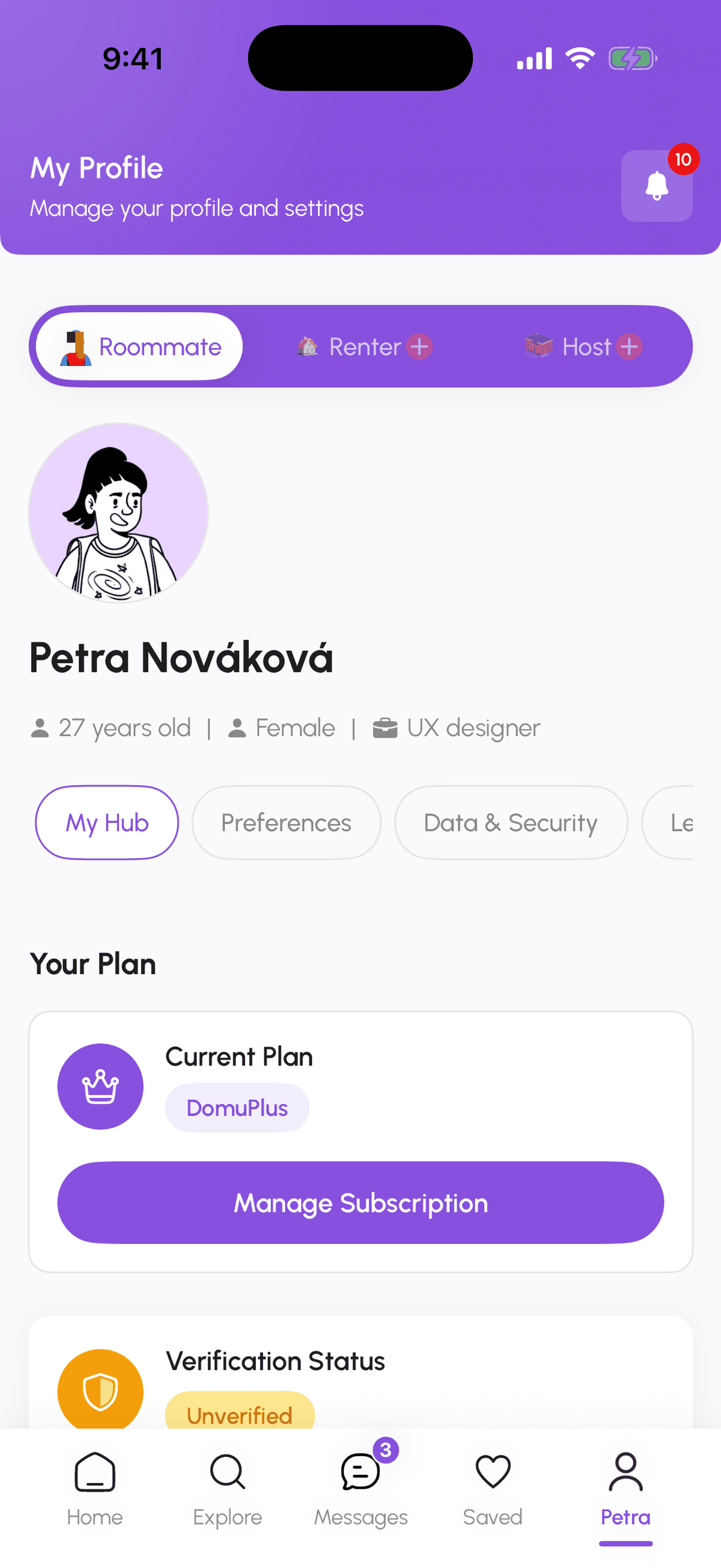
At the top of Profile: the Roommate / Renter / Host switcher, your photo, name, age, gender, and occupation, and a notifications bell with the unread count. Edit Profile (Manage Profile in My Hub) opens the editor.
My Hub
- Your Plan: the current plan (DomuBasic, DomuPlus, DomuPro, or a Host plan) and Manage Subscription.
- Verification Status: Unverified, Verification In Progress, or Verified, with Verify Now.
- Profile Optimization: your Profile Score out of 100, Manage Profile, and point-earning tips.
- Hosts see their listing progress, analytics, and business verification here instead; agency owners see their agency dashboard.
Preferences
- Interface theme: Light for now; dark mode is on the roadmap.
- Language & Translation: App Language (English or Czech) and Auto-translate Messages.
- Notifications: toggles per type. See Manage notification preferences.
- Danger Zone: Delete Account. See Export or delete your data.
Data & Security
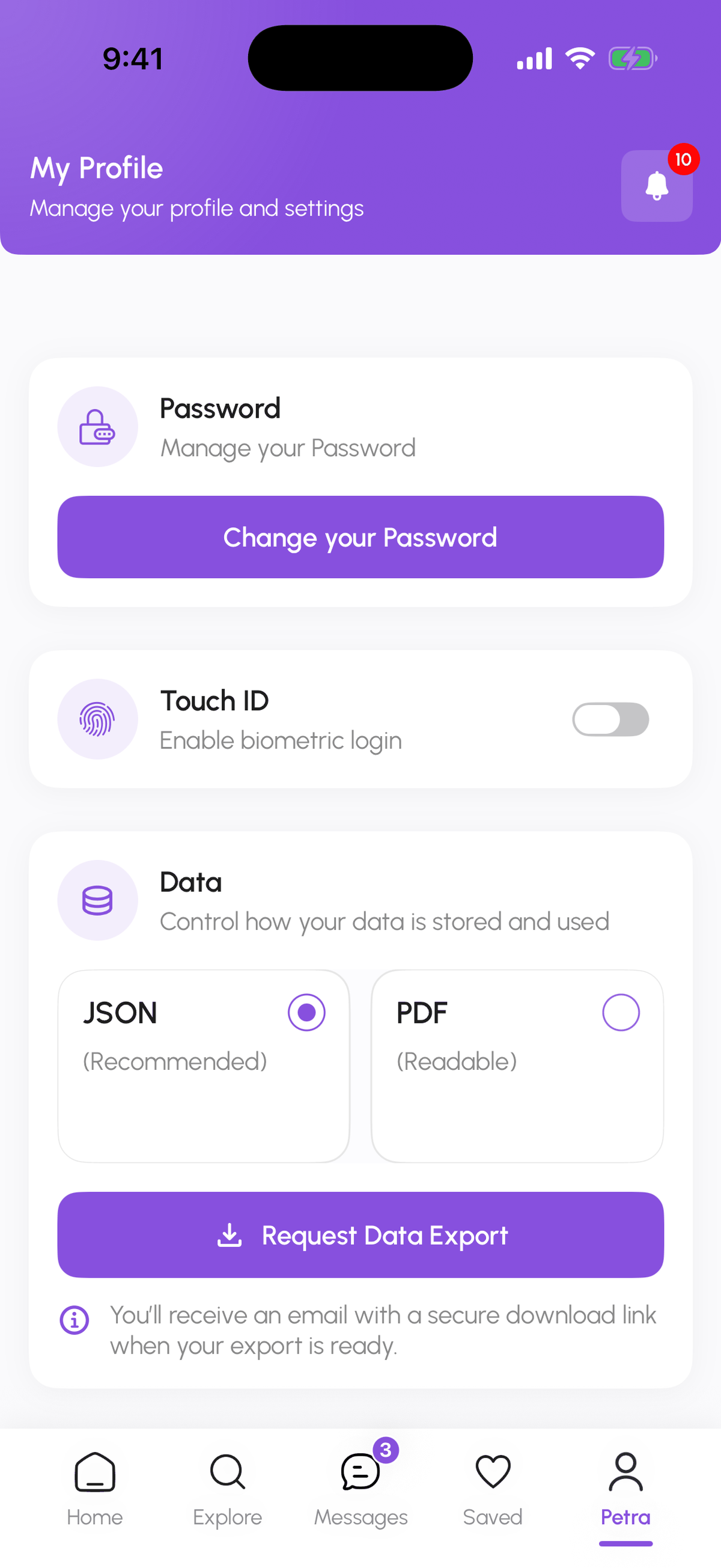
- Change your Password: enter your current password, then a new one that meets the five rules (8 characters, uppercase, lowercase, number, special character).
- Enable biometric login (iPhone): unlock with Face ID or Touch ID.
- Data: Request Data Export in JSON or PDF. On iPhone you get an email with a secure download link; on the web the files download immediately.
Legal Policies
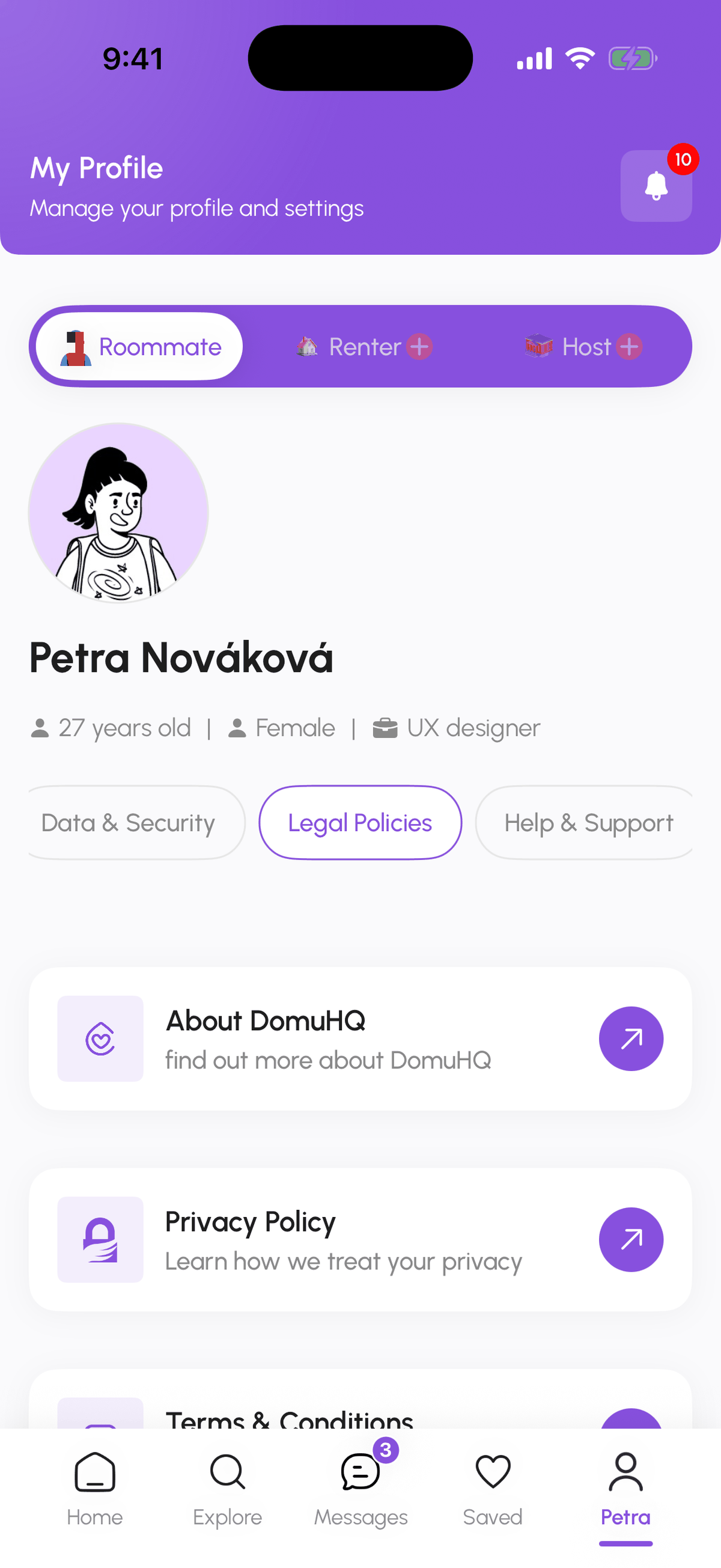
About DomuHQ, Privacy Policy, and Terms & Conditions, each opening the full document.
Help & Support
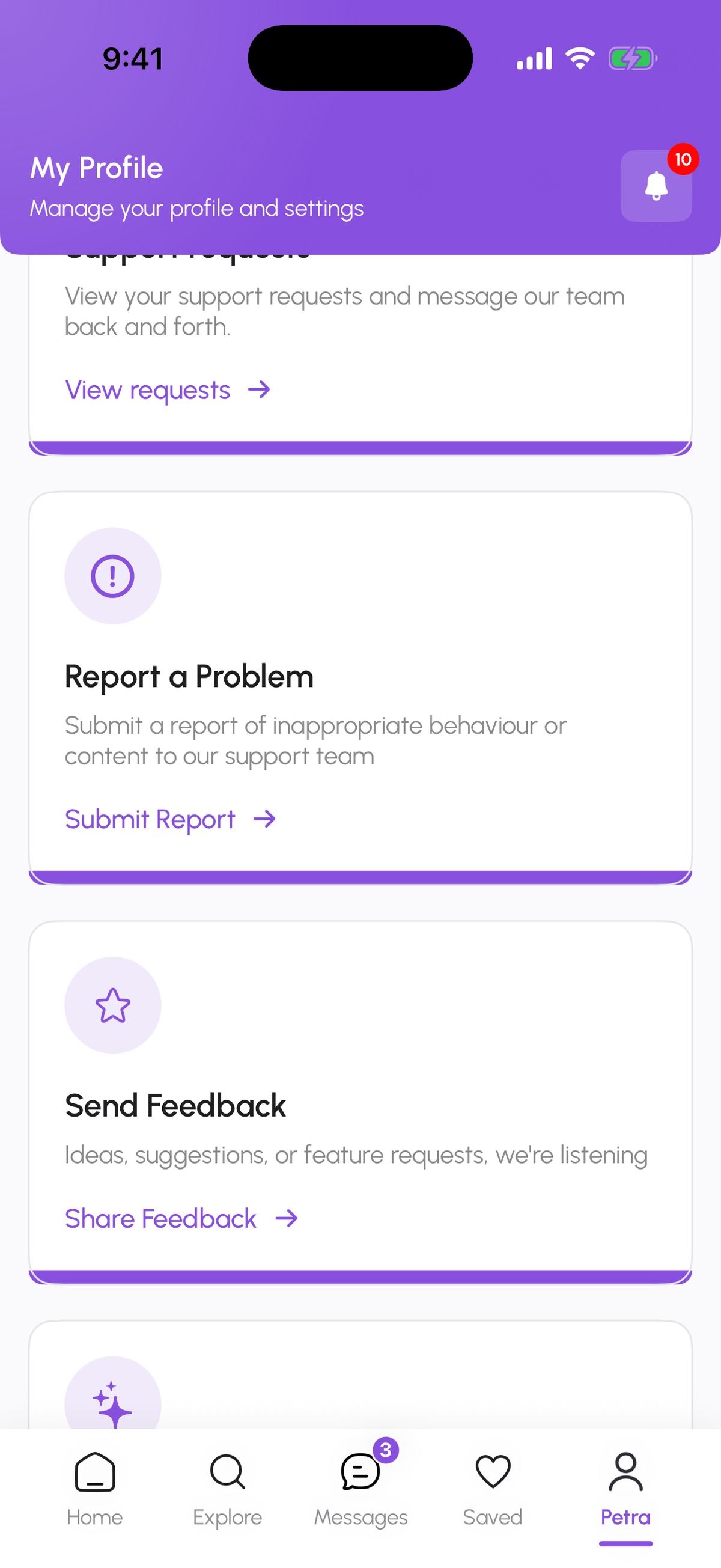
- Support requests: your open tickets with the team and their replies (View requests).
- Report a Problem: report a person, a listing, or a bug to trust and safety (Submit Report).
- Send Feedback: ideas and feature requests (Share Feedback). The public board at feedback.domuhq.cz shows what others asked for and what is planned.
- The Help Center you are reading now covers how-to guides; the in-app FAQ answers the short questions.
Changing your email or phone
These are not editable in the app yet. Write to support@domuhq.cz from your current email and we change it for you after a quick check.
Step-by-step
- 1
Open Profile
5 secondsTap the Profile tab (your first name on iPhone). My Hub is selected by default.
- 2
Preferences
30 secondsTheme, language and auto-translate, notification toggles, and the Danger Zone.

- 3
Data & Security
30 secondsChange your Password, biometric login, and Request Data Export.
- 4
Legal Policies
10 secondsOpen About DomuHQ, Privacy Policy, or Terms & Conditions.
- 5
Help & Support
10 secondsSupport requests, Report a Problem, Send Feedback.
Frequently asked questions
Where do I log out?
At the bottom of the Profile page (Log Out). Logging out on one device does not log you out elsewhere.
Where is dark mode?
Interface theme offers Light today. Dark mode is planned; vote for it at feedback.domuhq.cz if it matters to you.
I cannot find Preferences on my phone.
Scroll the tab row under your name sideways: My Hub, Preferences, Data & Security, Legal Policies, Help & Support.
Related articles
Manage your notification preferences
Which notifications DomuHQ sends, how to switch each type on or off in Preferences, and how push permission works on the web and on iPhone.
BeginnerExport or delete your DomuHQ data
Request a JSON or PDF export of everything DomuHQ holds about you from Data & Security, and delete your account from the Danger Zone in Preferences.
BeginnerPlans: DomuBasic, DomuPlus, DomuPro, and the free period
Every plan is free until 2027. What DomuBasic, DomuPlus (299 CZK/month), and DomuPro (699 CZK per 3 months) include, how to switch, cancel, and where invoices live.
Beginner