
Real-time message translation between Czech and English
Turn on Auto-translate Messages and incoming Czech (or English) messages appear in your app language, with the original one tap away.
Why it exists
A large part of the Czech rental market writes only in Czech. Translation lets you and a Czech host or roommate each write in your own language.
Turning it on
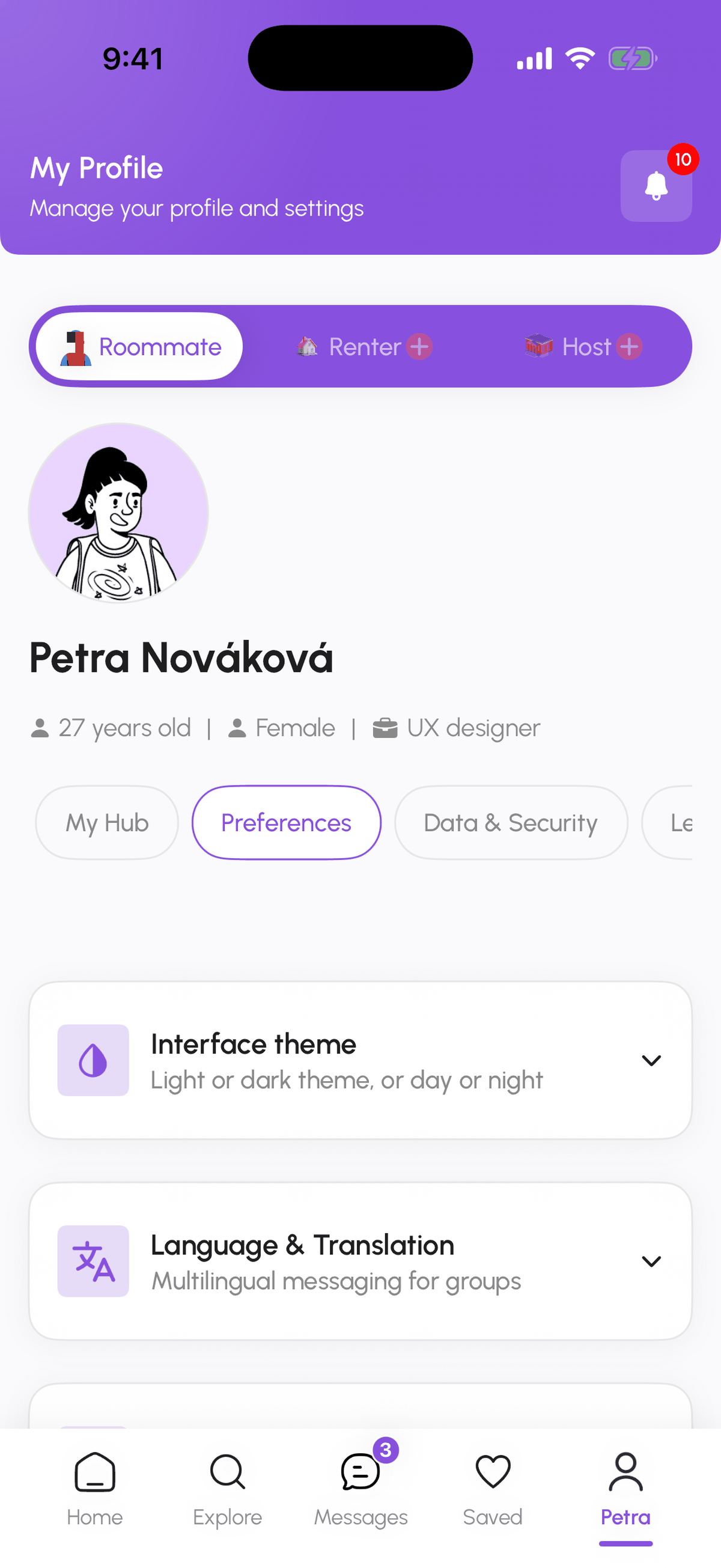
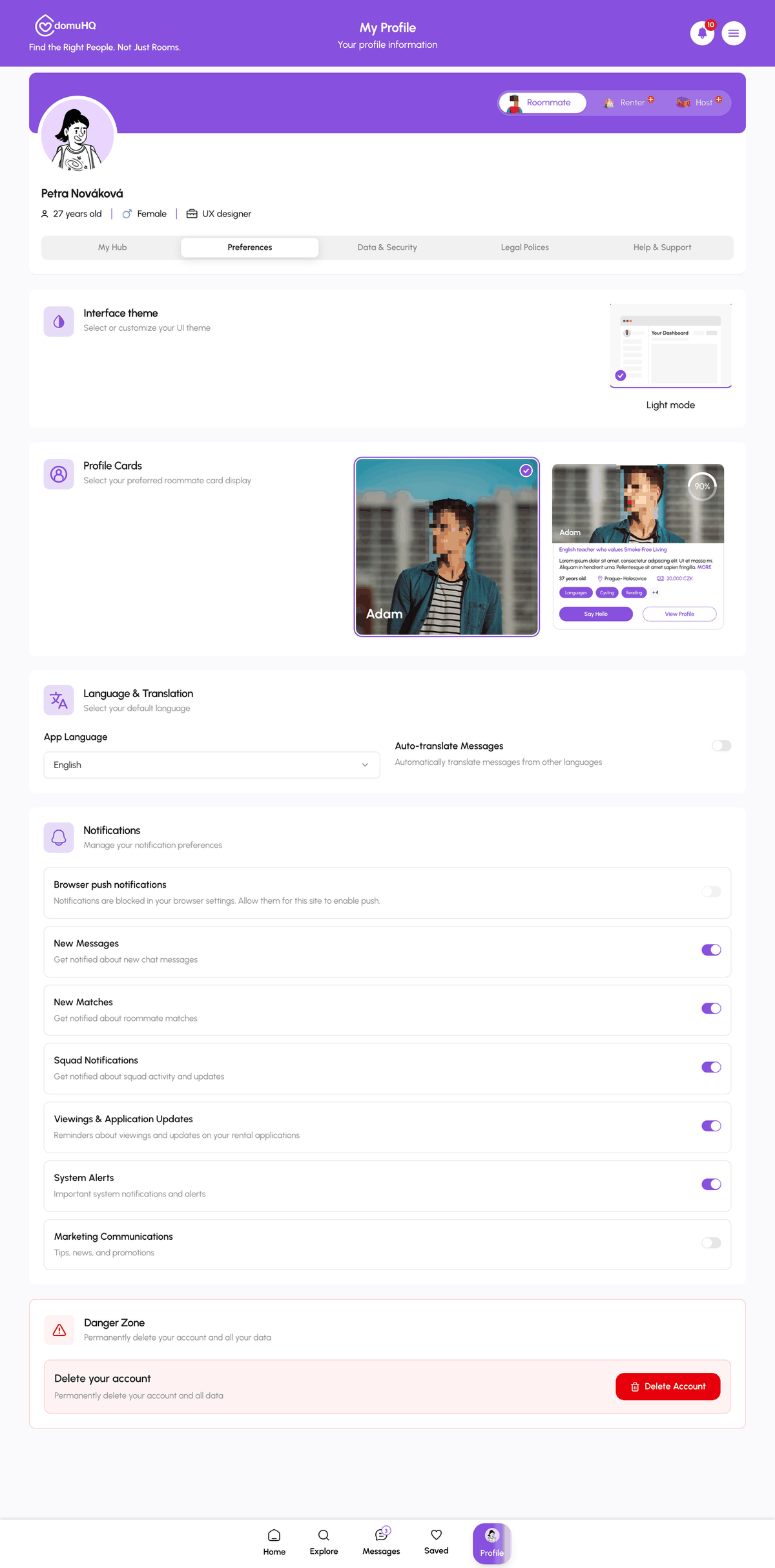
- Globally: Profile, Preferences, Language & Translation, switch on Auto-translate Messages. Messages are translated into your App Language (English or Czech).
- Per conversation: open a chat and use the Auto-translate switch in the conversation header or menu. This overrides the global setting for that chat only.
- One message at a time: tap Translate on a single message when auto-translate is off, and Show original to see the untranslated text.
What it does not translate
- Documents such as contracts or payment evidence.
- Listing descriptions; those are written by the host in one language.
- Voice messages.
Quality
DeepL handles Czech well. Short slang and idioms can come out oddly; when a sentence matters (a contract question, a deadline), tap Show original and, if needed, ask the other person to rephrase.
Step-by-step
- 1
Open Preferences
5 secondsProfile, then the Preferences tab, then Language & Translation.
- 2
Switch on Auto-translate Messages
5 secondsSet your App Language and turn on Auto-translate Messages.
- 3
Check a conversation
10 secondsOpen a chat. Incoming messages in the other language now appear translated with a Show original link underneath.
Frequently asked questions
Does the other person know I translate?
No. Translation happens on your side only.
Which languages are supported?
Czech and English, in both directions.
Is it free?
Yes, translation is included in every plan.
Related articles
Messages: conversations, requests, and chat actions
How the Messages tab is organised, what the filter chips mean, what the property chat header can do, and how to archive, pin, mute, block, or report a conversation.
BeginnerRenting in the Czech Republic: what expats should know
The Czech rental market has its own rules: deposit caps, lease formats, layout codes, and which documents matter for residency. A practical primer.
Beginner