
Sign the rental contract: DigiSign, in-app signature, or upload
The host uploads the contract and picks how it gets signed: electronically through DigiSign (BankID or SMS code, Host Pro and above), signed in the app, signed manually and uploaded, or in person.
Why signatures matter
Czech residential leases need a proper signature; a click-to-agree is not enough if it ever comes to a dispute. DigiSign produces a signed PDF with a certificate and an audit trail that courts accept. The other methods are there for hosts on personal plans and for cases where paper is simply easier.
The host's options
When the lease is uploaded on Track Application the host sees "How should the contract be signed?":
- Send for Electronic Signing (DigiSign): available on Host Pro and above. The host lists the signers (You (landlord) and the Applicant, or every Squad member), sets who signs first, and picks each signer's method, BankID or SMS code. Optionally place the signature boxes on the PDF. Then Send for signing.
- Sign electronically on DomuHQ: the applicant confirms and draws a signature in the app (consent to sign).
- Sign manually and upload: the applicant downloads the contract, signs on paper, and uploads the scan; the app asks "Are you sure you uploaded a signed copy of the contract".
- Sign in person: both meet and sign; the host uploads the signed copy.
- Waive: both confirm the agreement without a signed document (spare rooms with a verbal arrangement).
Signing with DigiSign as a tenant
- Open the email from DigiSign (check spam) and tap the secure link.
- Read the contract. Nothing is signed until you confirm; you can come back later.
- Identify: BankID if you have a Czech bank account, or the SMS code sent to the phone number on your DomuHQ account.
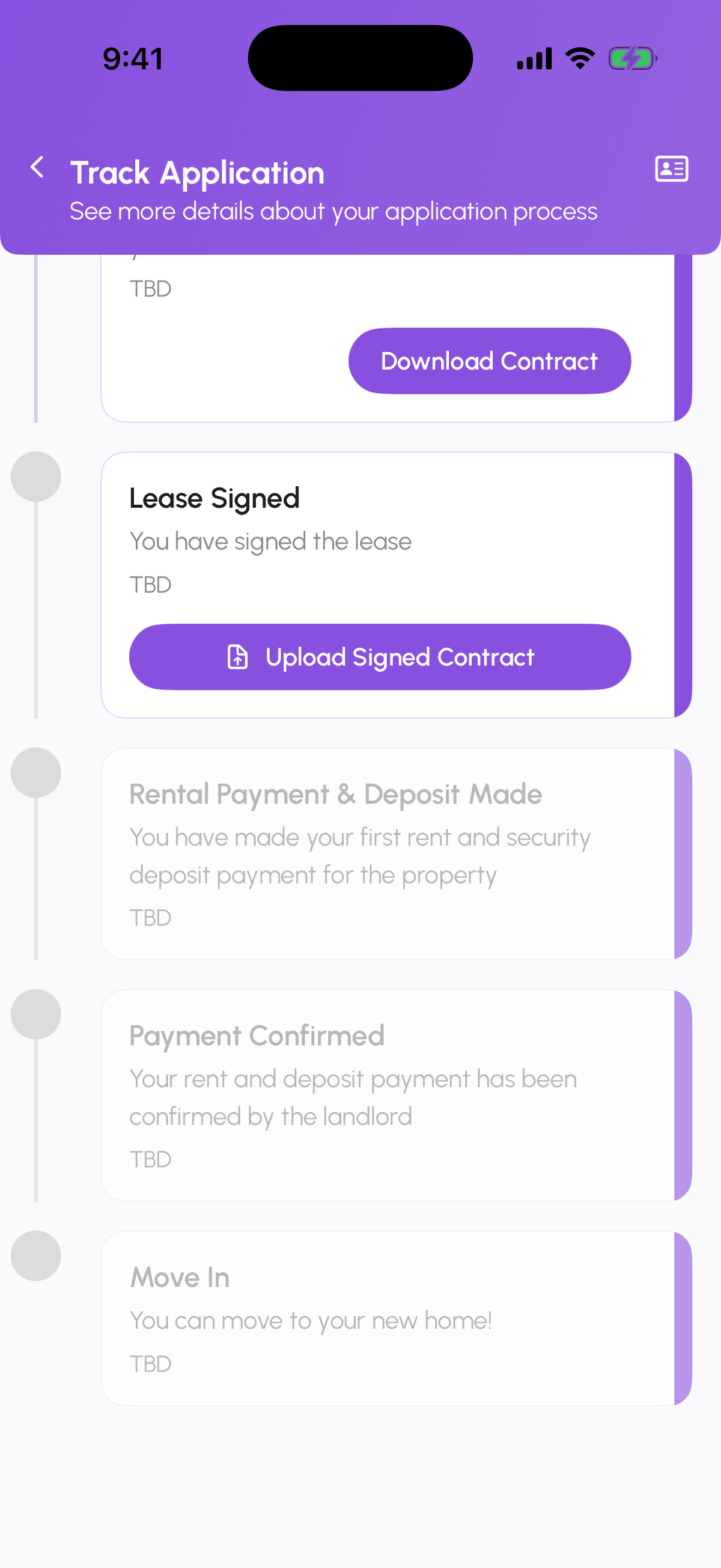
- Confirm the signature. Track Application shows Lease Signed when everyone is done, and you receive the final PDF by email.
Expats without a Czech bank
Use SMS code. It is a valid electronic signature for a lease. If the host set BankID for you, ask them to switch your method; the host can change it per signer before sending.
Reservation contracts
A reservation contract runs the same way as its own envelope before the rental contract.
If something is wrong in the contract
Do not sign. Write to the host in the chat; they upload a corrected version and send it again.
Step-by-step
- 1
Host: upload the lease
1 minuteTrack Application, Lease step: upload the PDF.

- 2
Host: choose the signing method
30 secondsPick Send for Electronic Signing (DigiSign), Sign electronically on DomuHQ, Sign manually and upload, Sign in person, or Waive.
- 3
Tenant: sign
2 minutesDigiSign: open the email link, identify with BankID or SMS code, confirm. In-app: confirm and draw your signature. Manual: download, sign, upload the scan.
- 4
Everyone: check the step
1 minuteTrack Application shows Lease Signed and the signed PDF is available to all parties.

Frequently asked questions
Is the SMS code signature legally valid?
Yes, for a residential lease. BankID is a stronger level, but both are accepted.
Can a lawyer review before I sign?
Yes. Download the PDF from the DigiSign link or Track Application, send it to your lawyer, and sign later. Links stay valid for days.
Where is the signed contract afterwards?
On Track Application for both sides, and in the completion email from DigiSign.
Related articles
Renting in the Czech Republic: what expats should know
The Czech rental market has its own rules: deposit caps, lease formats, layout codes, and which documents matter for residency. A practical primer.
BeginnerHandle requests and review applications as a host
Connection, viewing, and application requests all arrive under Manage, Requests. Open the applicant, check the Verified badge and their answers, request documents if needed, then Accept Application or Reject.
Beginner