
Create your DomuHQ account
Sign up on the web or in the iOS app with email, Google, or Apple, confirm the verification code, pick what you are here for, and set up your first profile.
Before you start
You need an email address you check, a phone number that can receive SMS (Czech or international), and to be 18 or older. Creating an account is free, and every plan is free until 2027.
You can sign up on the web at domuhq.cz or in the DomuHQ app for iPhone. It is the same account either way, so you can start on one and continue on the other.
What you are asked for
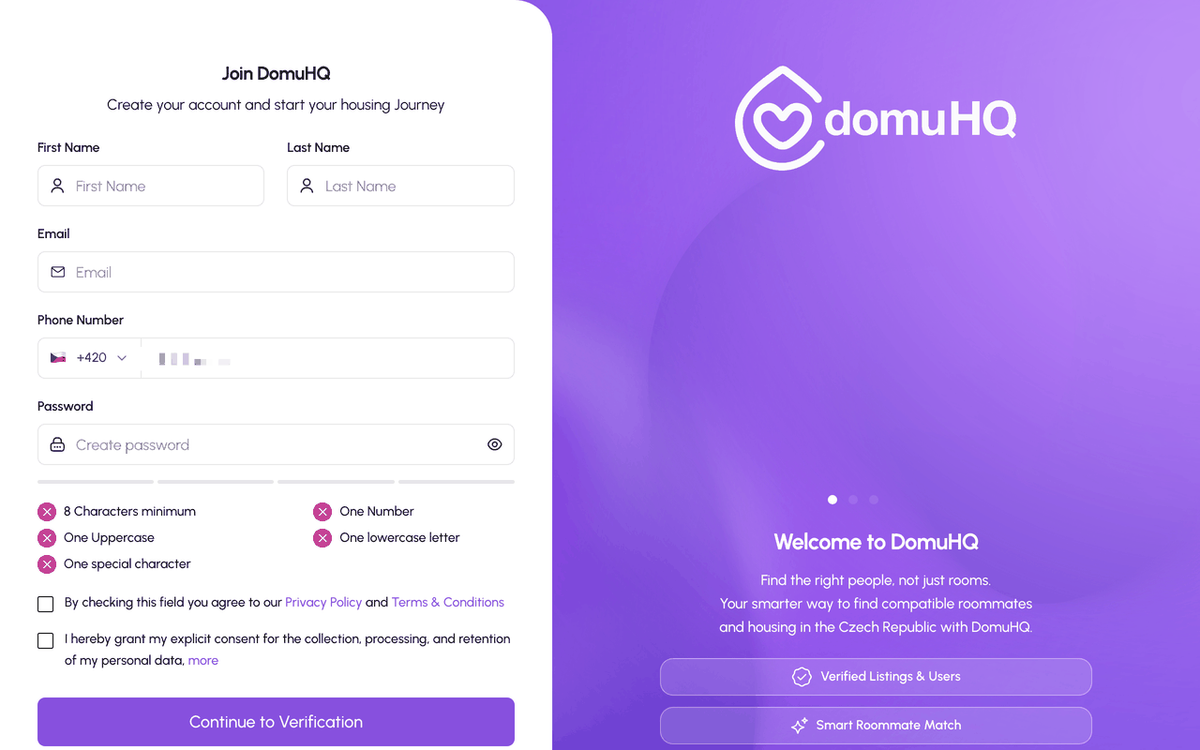
- First name and last name, as you want other members to see them. You can hide your last name from others later in the Privacy settings of your roommate profile.
- Email address and phone number. One of them receives the verification code.
- A password with at least 8 characters, one uppercase letter, one lowercase letter, one number, and one special character. The form shows each rule turning green as you type.
- Two checkboxes: agreement with the Privacy Policy and Terms & Conditions, and consent to the processing of your personal data.
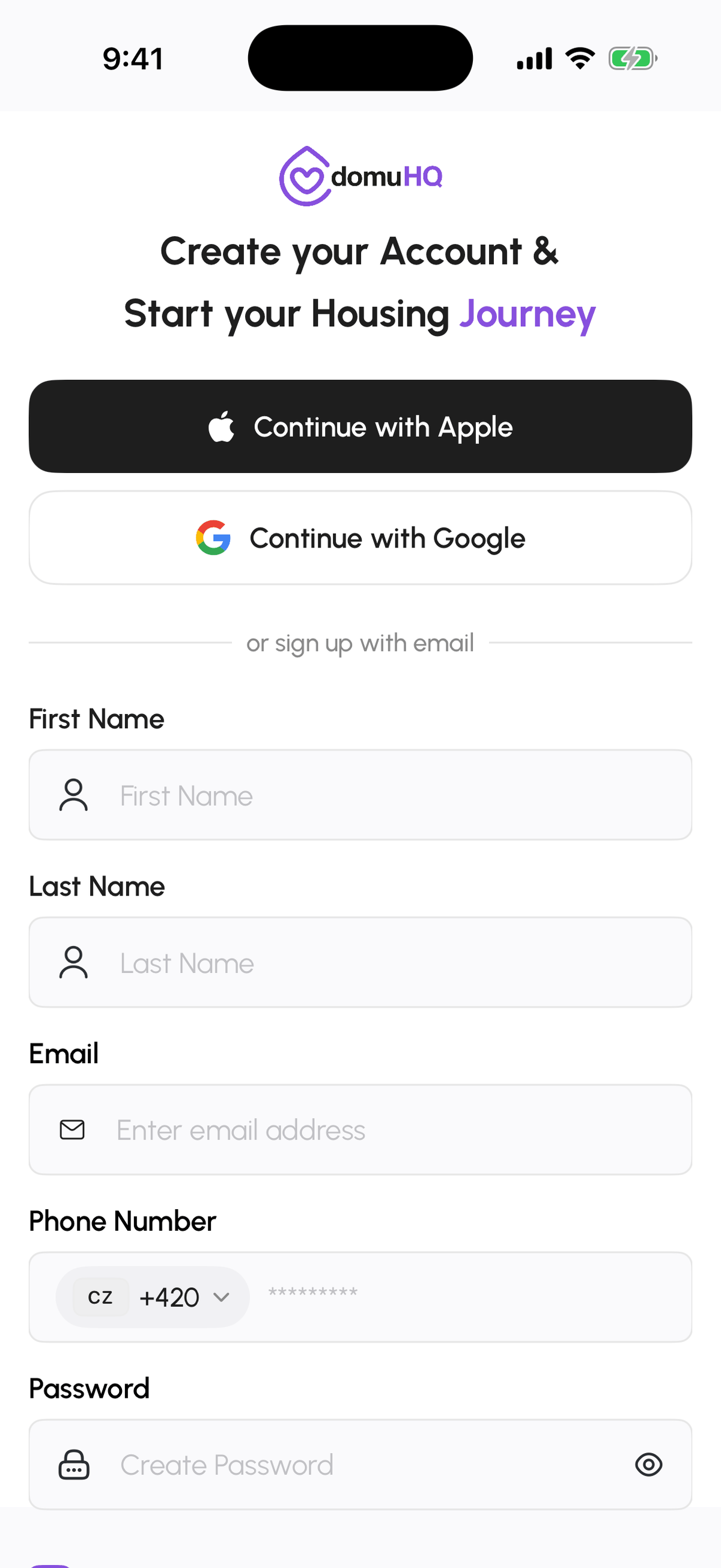
On iPhone you can also tap Continue with Apple or Continue with Google instead of filling in the form. Google and Apple sign-in are available on the web sign-in page too.
Choose what you are here for
After the code is confirmed you see the screen "Let's Get Started. Select an Option that applies to you!" with three choices:
- Find a Roommate: you want to find someone to share an apartment with. This creates your Roommate profile and starts compatibility matching.
- Find an Apartment: you are looking for a place to rent. This creates your Renter profile.
- List an Apartment or Room: you have a place or a spare room to list. This creates your Host profile.
You only set up the profile for the option you pick. The other two can be added later from the role switcher at the top of your Profile; see Roommate, Renter, or Host: switching roles.
What happens next
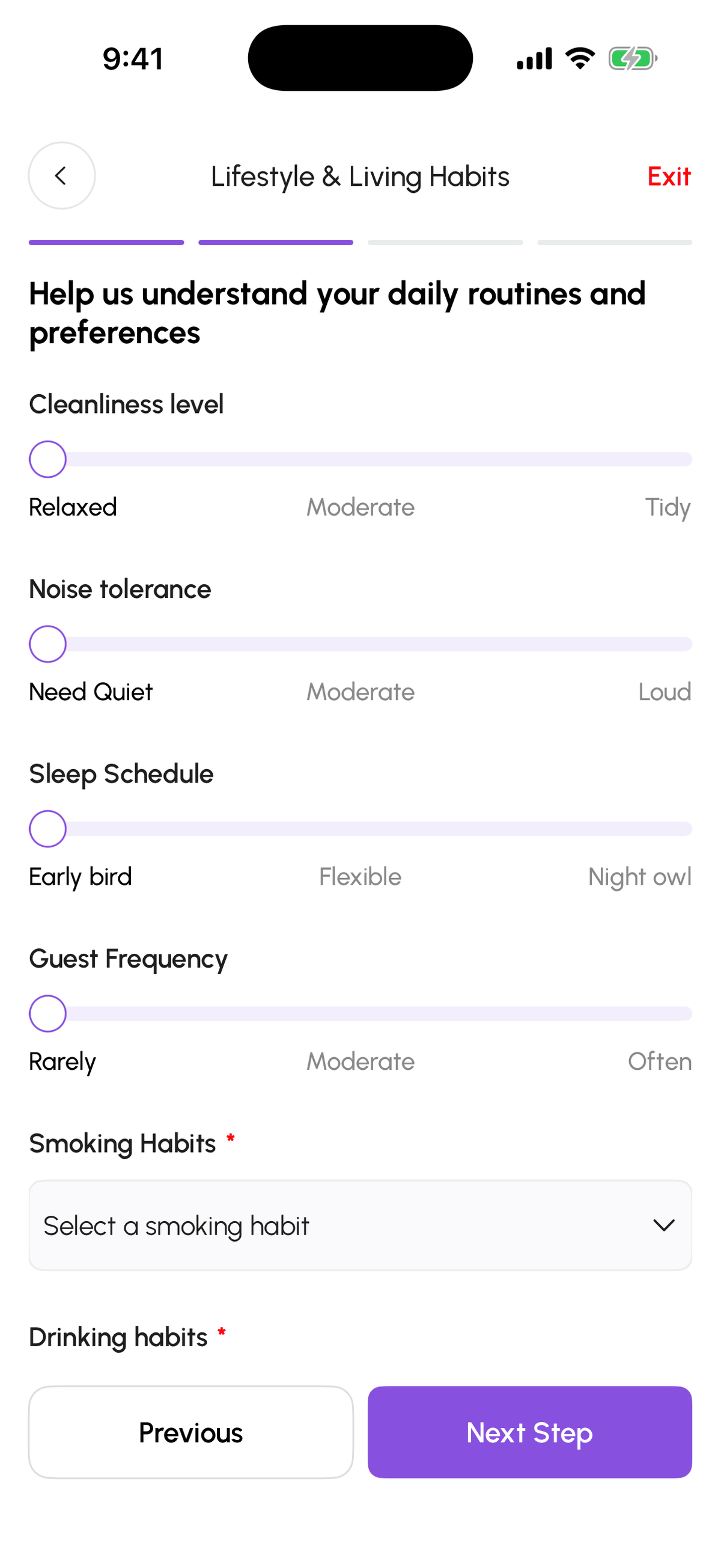
Roommates go through four short steps (about you, lifestyle and living habits, interests and hobbies, privacy) and then the compatibility assessment. Renters fill in basic info and their search preferences. Hosts land in host onboarding and can create a listing straight away. When your profile is complete you see the "Welcome to DomuHQ!" screen with an overview of what you can do.
Signing in later
Use the same method you signed up with. If you registered with email and later tap Continue with Google using the same address, the accounts are not merged automatically; sign in with your email and password instead. Forgot your password? Use Forgot Password? on the sign-in screen; you get a code by email and set a new password.
Step-by-step
- 1
Open the sign-up form
10 secondsOn the web go to domuhq.cz and click Sign up. In the iPhone app tap Sign up here under the sign-in form.
- 2
Enter your details or continue with Apple or Google
1 minuteFill in your name, email, phone number, and a password that meets all five rules, tick both consent boxes, and tap Continue to Verification. Or use Continue with Apple / Continue with Google.
- 3
Verify your account
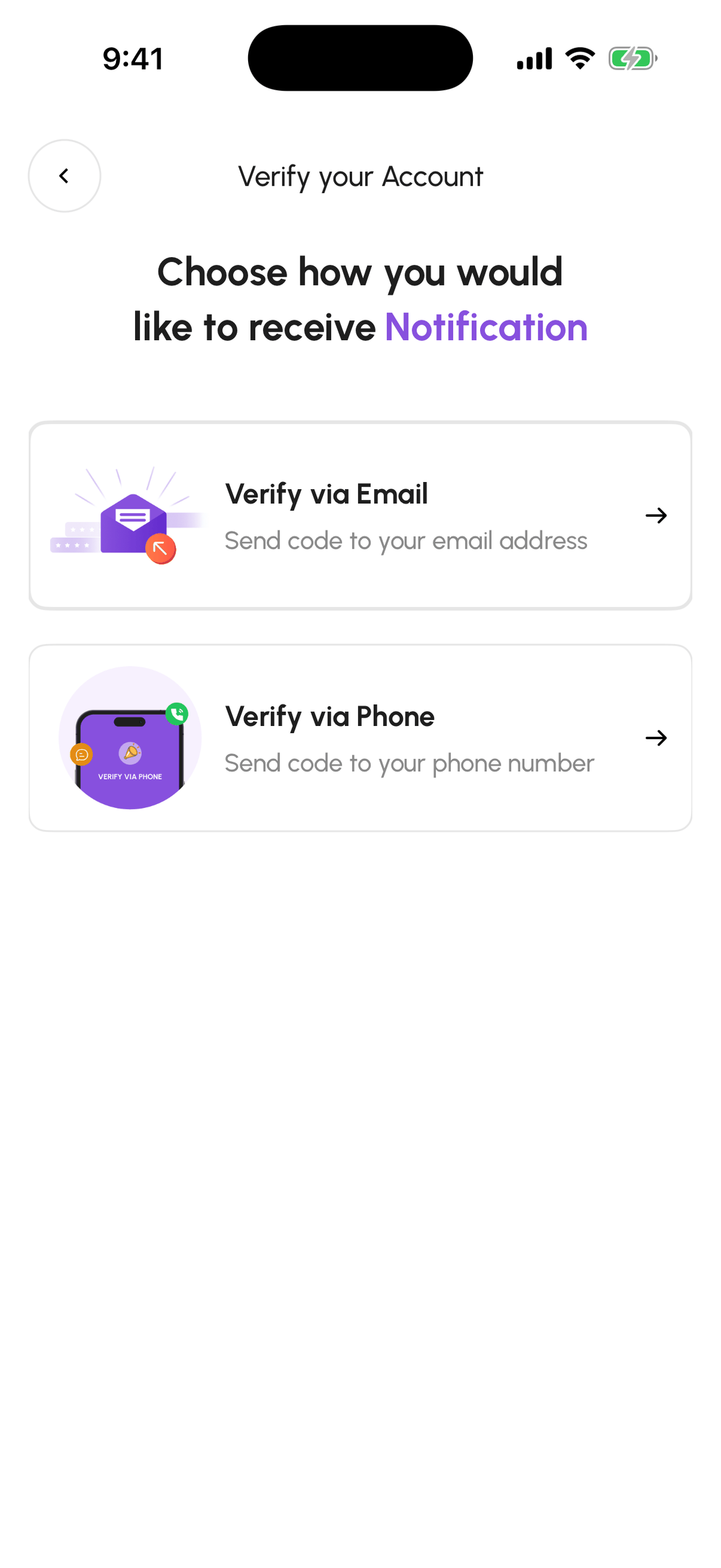
30 secondsChoose Verify via Email or Verify via Phone. A 6-digit code arrives; type it in and tap Confirm & Proceed. Codes expire after a minute; use Resend if it did not arrive. "OTP Successful" confirms the account and Proceed to onboarding takes you on.
- 4
Pick your starting point
10 secondsChoose Find a Roommate, Find an Apartment, or List an Apartment or Room, then tap Continue.

- 5
Complete the profile setup
3 to 5 minutesAnswer the short setup for the role you chose. For roommates that is four steps ending with Create Profile; you can change every answer later from Edit Profile.
Frequently asked questions
Do I need a phone number?
Yes. The sign-up form asks for a phone number and an email. The verification code goes to one of them, and hosts use the number only if you choose to share it.
Can I be a roommate and a renter at the same time?
Yes. One account holds up to three profiles (Roommate, Renter, Host). Pick one to start and add the others from the role switcher in your Profile whenever you need them.
Is there a minimum age?
You must be 18 or older to use DomuHQ.
I signed up with email but want to use Google sign-in. Can I switch?
Not automatically. Keep signing in with your email and password. If you want to move the account to Google or Apple sign-in, write to support@domuhq.cz from your registered email.
What to do next
- Complete your profile and get the Verified badgeRaise your Profile Score with a real photo, a bio, lifestyle details, and photos, then verify your identity with a government ID and a selfie to earn the Verified badge.
- Roommate, Renter, or Host: switching rolesOne account, up to three profiles. What each role does, how the role switcher at the top of your Profile works, and what changes when you move to a professional host plan.
Related articles
Get the DomuHQ app for iPhone
DomuHQ is on the App Store. Same account as the web, push notifications for messages and requests, Face ID or Touch ID sign-in, and English or Czech.
BeginnerThe compatibility assessment: how match scores work
20 questions drawn from a bank of 110, based on the Big Five personality model, plus your lifestyle answers. Together they produce the match percentage you see on every roommate card.
BeginnerTroubleshooting: common issues and fixes
Quick fixes for missing verification codes, sign-in problems, locked features, few matches, missing buttons, stuck applications, and photo uploads.
Beginner