
Get the DomuHQ app for iPhone
DomuHQ is on the App Store. Same account as the web, push notifications for messages and requests, Face ID or Touch ID sign-in, and English or Czech.
Install and sign in
Search for "DomuHQ" in the App Store or use the link at the bottom of domuhq.cz. Open the app, choose your language, and sign in. If you do not have an account yet, tap Sign up here; the flow is the same as on the web, see Create your DomuHQ account.
What is where
The bottom bar has five tabs for roommates and renters: Home (your top matches or recommended places), Explore (Discover roommates, Squads, Properties), Messages, Saved, and your Profile (the tab shows your first name). Hosts see Home, Manage (listings, requests, applications), Messages, and Profile.
Notifications
The app asks for notification permission after sign-in. Allow it to get new messages, connection and viewing requests, application updates, and sign-in alerts on your lock screen. You can fine-tune the types later in Profile, Preferences, Notifications, and you can always change the system permission in iPhone Settings.
Language
DomuHQ is available in English and Czech. Change it any time in Profile, Preferences, Language & Translation. This also controls which language incoming messages are translated into when Auto-translate is on.
Face ID and Touch ID
In Profile, Data & Security, turn on Enable biometric login to unlock the app with Face ID or Touch ID instead of typing your password.
Plans and payments on iPhone
All plans are free until 2027, on the web and in the app. When paid plans start, subscriptions bought on iPhone go through the App Store and subscriptions bought on the web go through Stripe; either way the plan applies to your whole account. Restore Purchases at the bottom of the plans screen re-links an App Store purchase to your account if it ever goes missing.
What is web-only today
- Agency setup and accepting an agent invitation (agency owners and agents do everything else in the app too).
- Bulk upload of listings from a spreadsheet (Host Premium and Enterprise).
- Some host analytics pages are still marked "coming soon" in the app and are complete on the web.
Step-by-step
- 1
Install DomuHQ from the App Store
1 minuteSearch for DomuHQ, install, and open the app. Pick English or Czech on the first screen.
- 2
Sign in
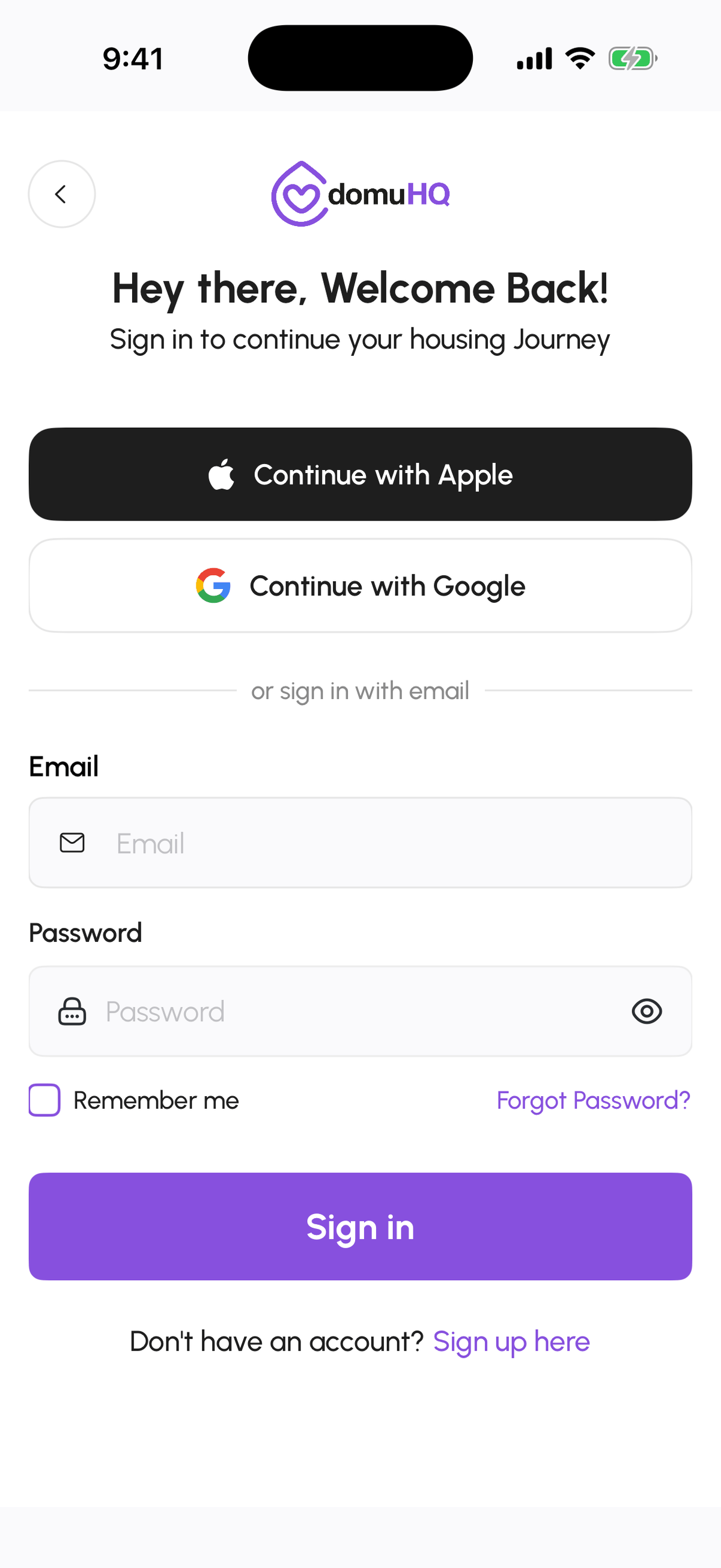
20 secondsUse Continue with Apple, Continue with Google, or your email and password. Tick Remember me to stay signed in.
- 3
Allow notifications
5 secondsTap Allow when the app asks. You can adjust the categories later in Preferences.
- 4
Turn on biometric login (optional)
10 secondsProfile, Data & Security, then switch on Enable biometric login.

Frequently asked questions
Is there an Android app?
Not yet. Android users can use domuhq.cz in the browser, which has every feature; the app for Android is in development.
Do I need a separate account for the app?
No. One account works everywhere and everything syncs in real time.
The app shows a different tab layout than the web. Why?
The layout follows your active role: roommates and renters get Home, Explore, Messages, Saved, Profile; hosts get Home, Manage, Messages, Profile; agency owners get Home and Profile.
Related articles
Create your DomuHQ account
Sign up on the web or in the iOS app with email, Google, or Apple, confirm the verification code, pick what you are here for, and set up your first profile.
BeginnerYour Profile tabs: My Hub, Preferences, Data & Security, Legal, Help & Support
A map of the Profile page: where your plan and verification live, how to change language, theme, and notifications, where to change your password or export your data, and where to get help.
BeginnerManage your notification preferences
Which notifications DomuHQ sends, how to switch each type on or off in Preferences, and how push permission works on the web and on iPhone.
Beginner