
Search listings and read a property page
Where listings live, how the filters work, what a listing card and property page tell you, and what Contact and Details do.
Where to look
- Home (Renter role): Recommended for you, based on your preferences and activity, with Browse All.
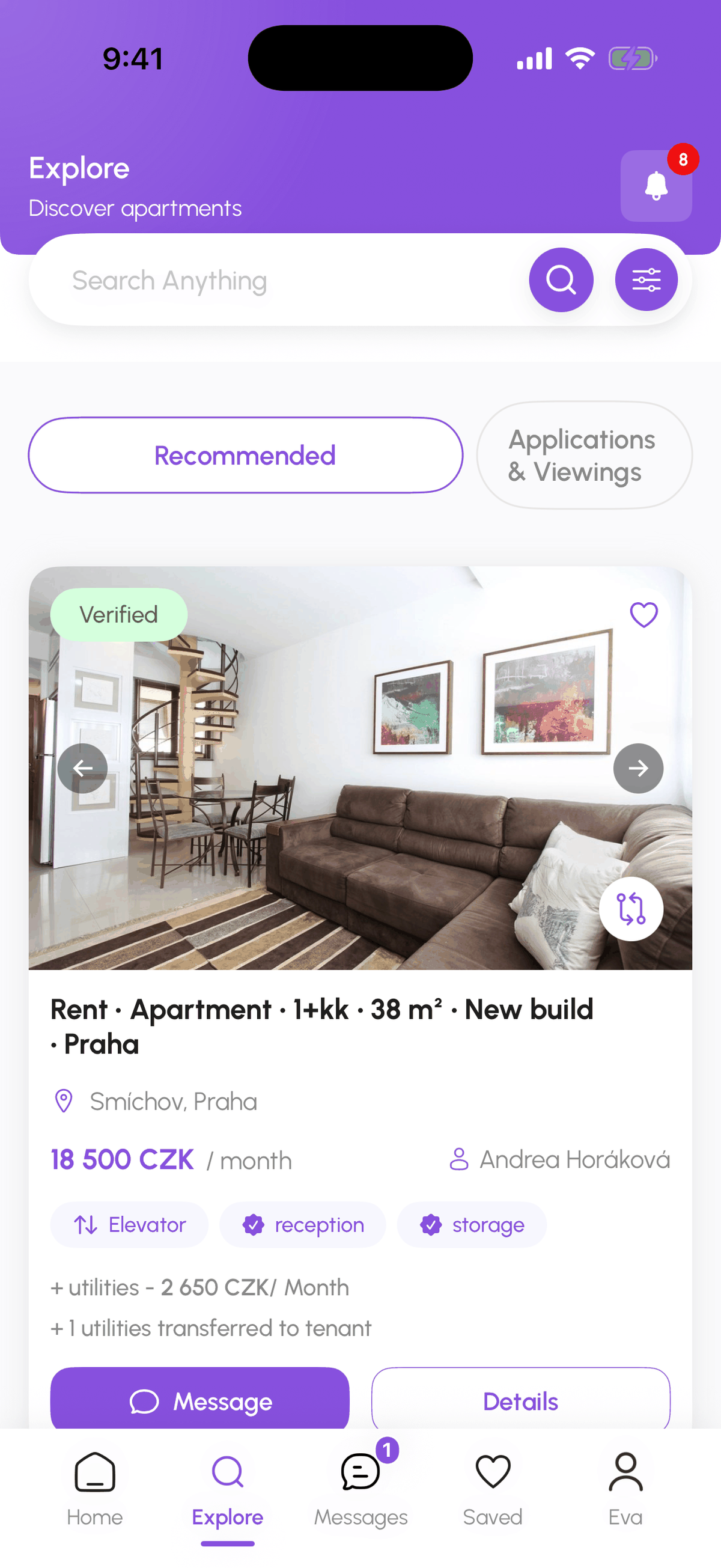
- Explore, Properties: the full list. Recommended Properties is the default tab; Applications & Viewings holds the places you applied to or have a viewing at.
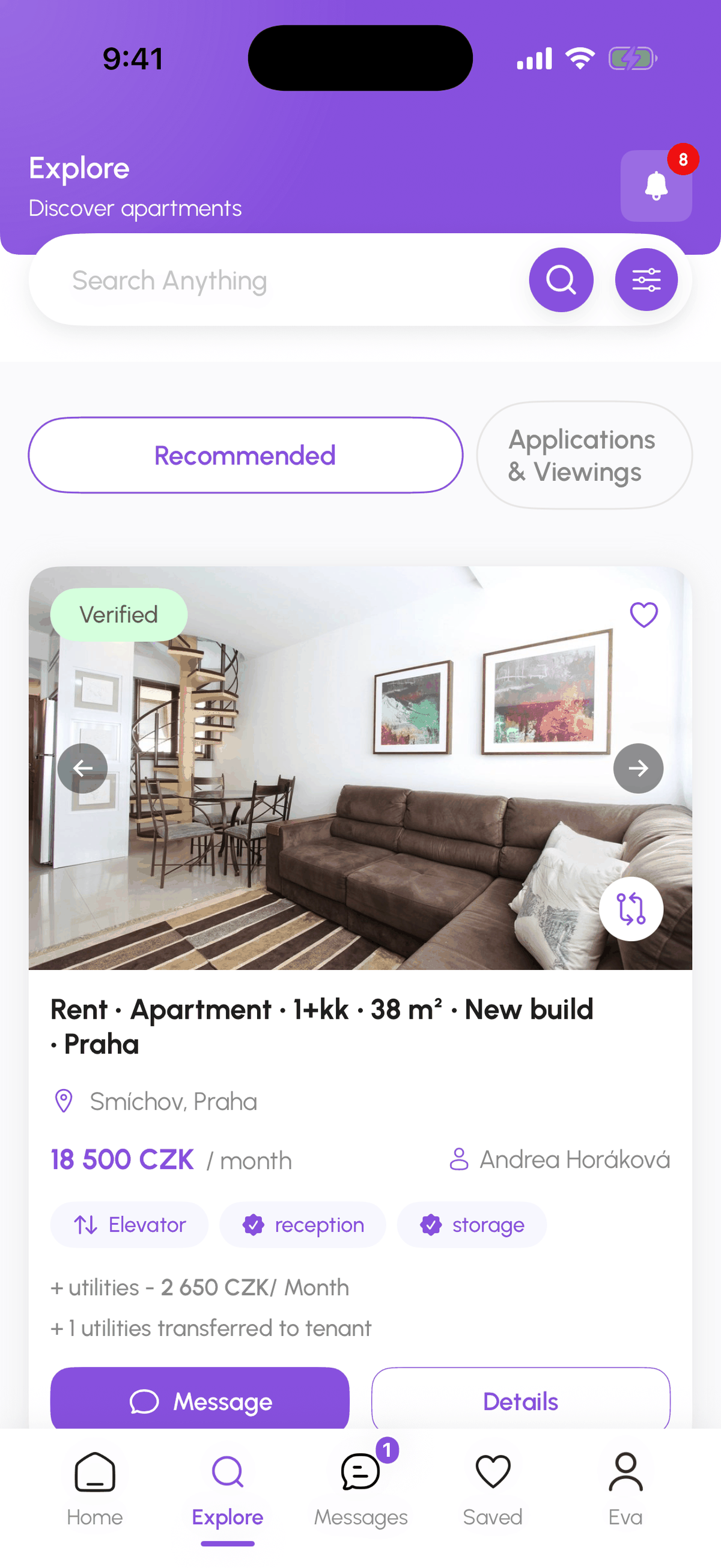
- The search box accepts a street, district, or metro station; Filters narrows the list.
Filters
Filter groups: Price & Area (rent range and floor area), Rooms (1+kk, 1+1, 2+kk, and so on), Location (city and districts), Building (type, floor, lift), Furnishing & Pets, and Amenities. The counter at the top shows how many filters are active; the results update as you change them. If you are new to Czech layouts, the glossary explains 1+kk versus 2+1.
Reading a card
- Verified badge: the host's ownership documents were reviewed by DomuHQ. Unverified listings are live but not yet checked.
- Title: type, layout, size, condition, and district, for example "Rent · Apartment · 2+1 · 64 m² · Renovated · Veveří, Brno".
- Monthly rent in CZK, with utilities or commission noted underneath when the host set them ("+ utilities 2 000 CZK/month", "Ask host about extra cost").
- The host or agent name, a heart to save, and a compare icon.
- Contact opens (or reopens) your chat with the host about this listing. Details opens the full property page.
The property page
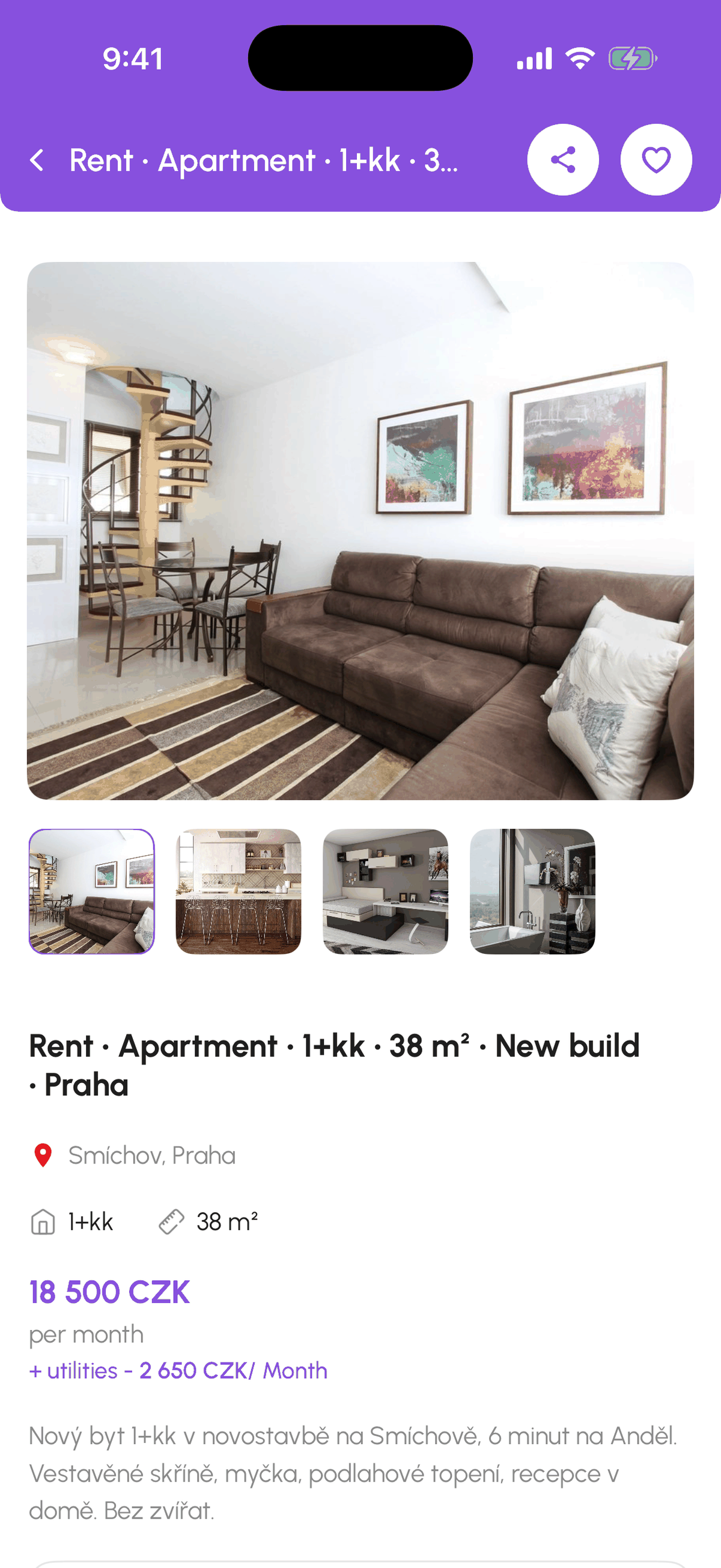
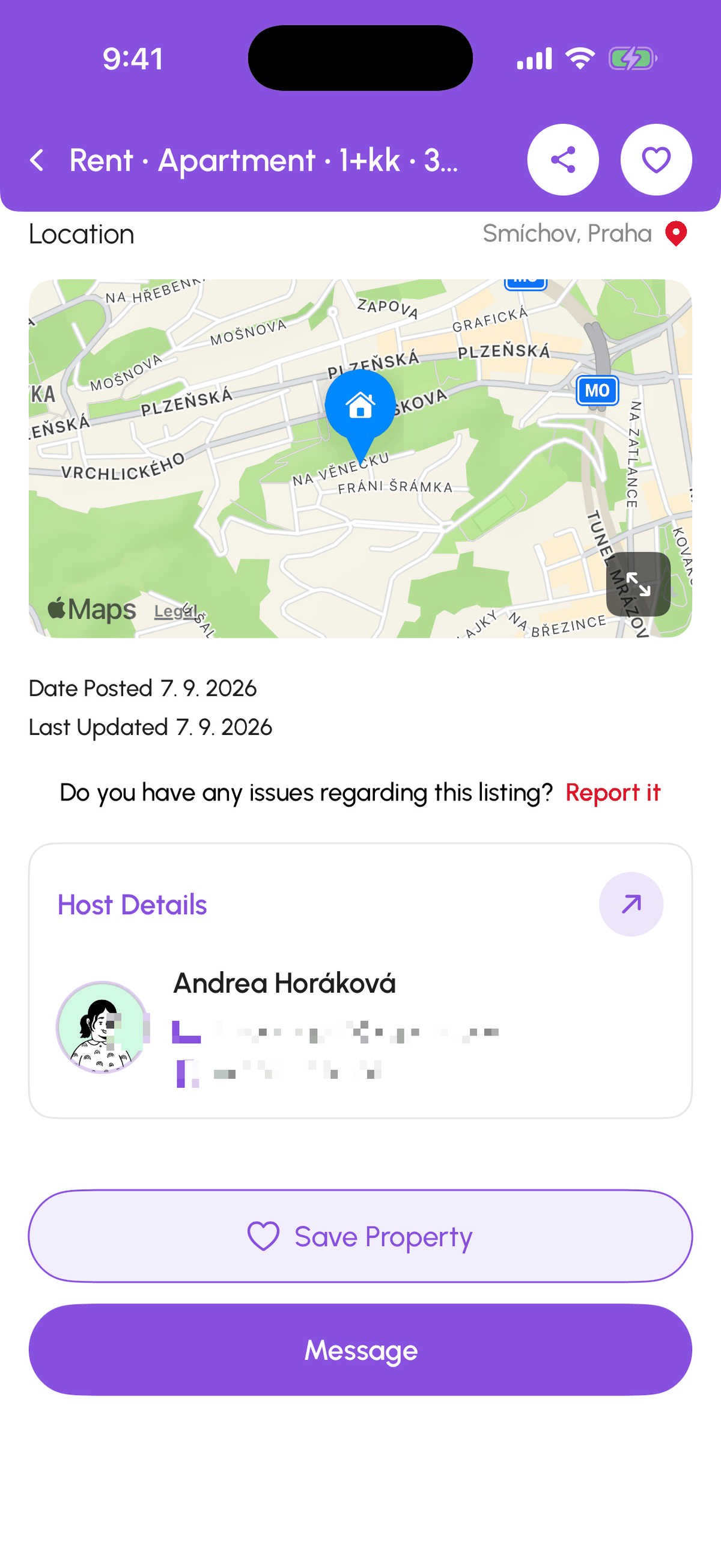
Photos and video at the top, then the title, district, layout, and rent. Collapsible sections: Property Overview, Financial Details (rent, deposit, utilities, commission), Property Features & Amenities, Location & Policies (pets, smoking, parking, house rules), Availability & Ownership (available from, minimum lease term, maximum occupancy, ownership type), and Nearest Civic Amenities (transport, shops, schools around the address). Below: the map (exact pin, district only, or approximate area, depending on the host's privacy choice), Date Posted, Last Updated, Availability (Available Now, Reserved, or Rented), a Report it link for problems, and the Host Details card.
At the bottom: Save Property and Contact Landlord. Contact Landlord starts the conversation; everything after that (viewing, application, contract) happens from that chat. See Contact a host, apply, and withdraw.
AI-Powered Property Matches
The row above the list (DomuPlus and above) ranks listings by fit with your renter preferences and budget. Every plan is free until 2027; tap Upgrade to DomuPlus for free to switch it on.
Step-by-step
- 1
Open Explore, Properties
5 secondsTap Explore, then Properties. Recommended Properties is selected.
- 2
Search or filter
1 minuteType a district or street in the search box, or tap Filters and set price, rooms, location, building, furnishing, pets, and amenities.
- 3
Open the property page
2 minutesTap Details on a card (or the card itself). Expand the sections you care about and check the map and availability.
- 4
Save or contact
10 secondsTap the heart or Save Property to keep it, or Contact / Contact Landlord to start the conversation.
Frequently asked questions
What do Available, Reserved, and Rented mean?
Available: you can contact and apply. Reserved: the host accepted someone and is mid-paperwork; you can still contact to be next in line. Rented: the lease is signed, the listing is closed.
Why do some listings show only a district on the map?
Hosts choose how precisely to show the address: exact street, district only, or an approximate area. The exact address is shared once you are in touch.
What is the compare icon on a card?
It adds the listing to Compare, a side-by-side table of price, size, rooms, and amenities. See Save and compare listings.
What to do next
- Save listings into collections and compare them side by sideThe heart saves a listing; Saved keeps them in collections you name; Compare shows up to four listings in one table.
- Contact a host, apply, and withdraw an applicationApplying on DomuHQ is a conversation first: Contact the host from the listing, ask what you need, then Apply for Apartment from the chat header. One tap sends your profile and application template.
Related articles
Renting in the Czech Republic: what expats should know
The Czech rental market has its own rules: deposit caps, lease formats, layout codes, and which documents matter for residency. A practical primer.
BeginnerStay safe on DomuHQ: scams, reporting, and blocking
Never pay before you have seen the place and met the host, keep the conversation on DomuHQ, and use Report and Block the moment something feels off.
Beginner